> ## Documentation Index
> Fetch the complete documentation index at: https://docs-staging-feat-docs-5612-expanded-grant-support-ea.mintlify.site/llms.txt
> Use this file to discover all available pages before exploring further.

> Apprenez à configurer votre connexion Vault JWT pour signer, vérifier ou décoder des JSON Web Tokens.

# connexion Vault JWT

<h2 id="configure-your-jwt-vault-connection">
  Configurez votre connexion Vault JWT
</h2>

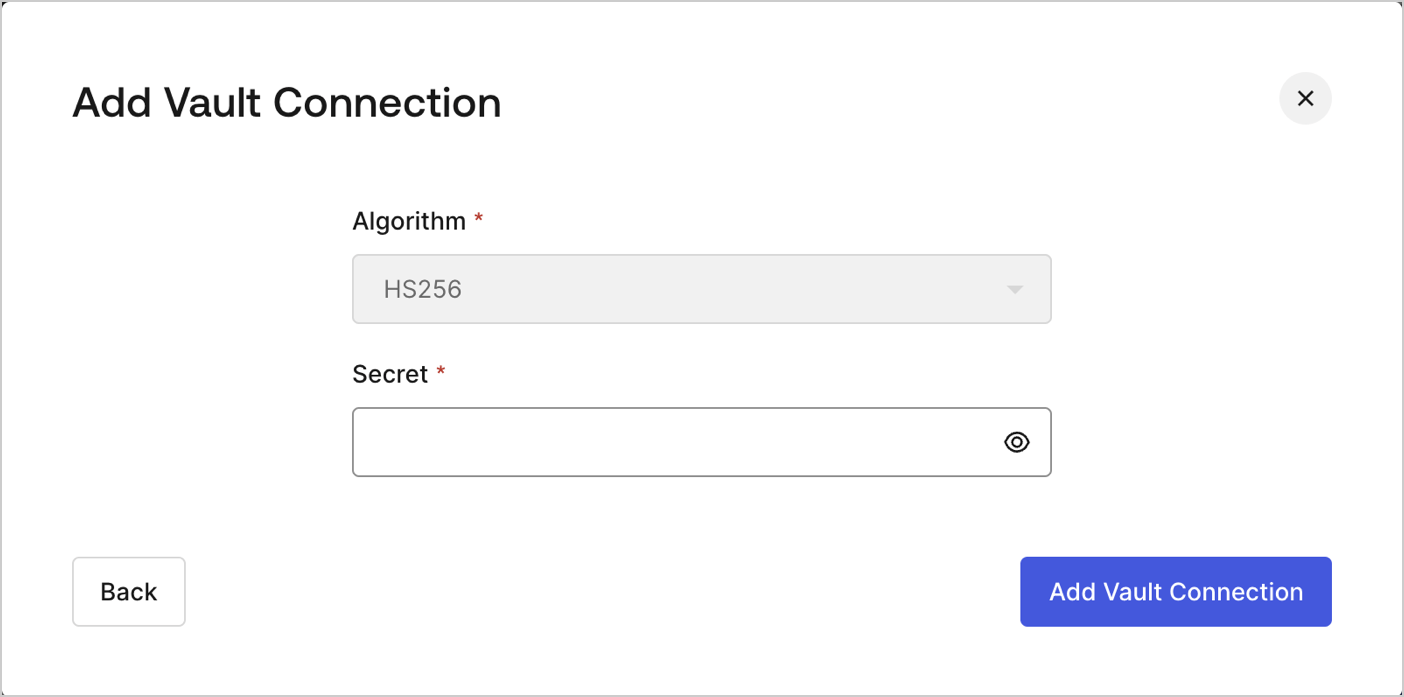
Pour configurer une connexion Vault JWT afin de permettre à vos actions JWT dans Flows de signer, décoder et vérifier des JSON Web Tokens, vous devez définir les paramètres requis.
<Frame>
  <img src="https://mintcdn.com/docs-staging-feat-docs-5612-expanded-grant-support-ea/96dAG6L4N0cU8PsO/docs/images/customize/forms/vaults/jwt-vault-connection.png?fit=max&auto=format&n=96dAG6L4N0cU8PsO&q=85&s=bcdcd7534248bec2b81e5f8d97b2ce1e" alt="Dashboard > Actions > Forms > Vault > JWT" data-og-width="1404" width="1404" data-og-height="697" height="697" data-path="docs/images/customize/forms/vaults/jwt-vault-connection.png" data-optimize="true" data-opv="3" srcset="https://mintcdn.com/docs-staging-feat-docs-5612-expanded-grant-support-ea/96dAG6L4N0cU8PsO/docs/images/customize/forms/vaults/jwt-vault-connection.png?w=280&fit=max&auto=format&n=96dAG6L4N0cU8PsO&q=85&s=c4a20e5ff1a3bb0352dd8abf0fa41959 280w, https://mintcdn.com/docs-staging-feat-docs-5612-expanded-grant-support-ea/96dAG6L4N0cU8PsO/docs/images/customize/forms/vaults/jwt-vault-connection.png?w=560&fit=max&auto=format&n=96dAG6L4N0cU8PsO&q=85&s=386546fa7d0e783378eb2f2512689c85 560w, https://mintcdn.com/docs-staging-feat-docs-5612-expanded-grant-support-ea/96dAG6L4N0cU8PsO/docs/images/customize/forms/vaults/jwt-vault-connection.png?w=840&fit=max&auto=format&n=96dAG6L4N0cU8PsO&q=85&s=c4d7e7b4261d087e65f1f7fb390304cc 840w, https://mintcdn.com/docs-staging-feat-docs-5612-expanded-grant-support-ea/96dAG6L4N0cU8PsO/docs/images/customize/forms/vaults/jwt-vault-connection.png?w=1100&fit=max&auto=format&n=96dAG6L4N0cU8PsO&q=85&s=7f632e519d8e9fe32f872d344665f969 1100w, https://mintcdn.com/docs-staging-feat-docs-5612-expanded-grant-support-ea/96dAG6L4N0cU8PsO/docs/images/customize/forms/vaults/jwt-vault-connection.png?w=1650&fit=max&auto=format&n=96dAG6L4N0cU8PsO&q=85&s=dccae62e26a92ac2eff961301549cb24 1650w, https://mintcdn.com/docs-staging-feat-docs-5612-expanded-grant-support-ea/96dAG6L4N0cU8PsO/docs/images/customize/forms/vaults/jwt-vault-connection.png?w=2500&fit=max&auto=format&n=96dAG6L4N0cU8PsO&q=85&s=bdfa7c94251c7dec10bb892e86f58ad6 2500w" />
</Frame>

<h2 id="input-settings">
  Paramètres d’entrée
</h2>

| Paramètre | Description |
| - | - |
| Secret | Secret à utiliser avec l’algorithme HS256 pour encoder le JWT. |
